 EQ ZERA
A desktop toolkit for EverQuest Legends
EQ Zera
The live DPS meter, floating overlays and quest tracker for EverQuest Legends.
It reads the log the game already writes. Nothing touches the game.
Reads your log only
Nothing is injected into EverQuest, no game files are touched, no memory is read, nothing is automated. Type /log on and it has something to show.
Nothing leaves your PC
No telemetry endpoint is compiled in. The only network calls are the ones you can see: the EQ Legends wiki for item and mob data, and GitHub for updates.
Source available
The whole app, including the Rust log engine, is on GitHub under the Functional Source License. Read it, build it, file an issue.
What it does
A DPS meter, overlays, quest and loot tracking for EverQuest Legends
EQ Zera watches the log file EverQuest Legends writes and turns every line into something you can act on while you play. Per character, per fight, per zone.
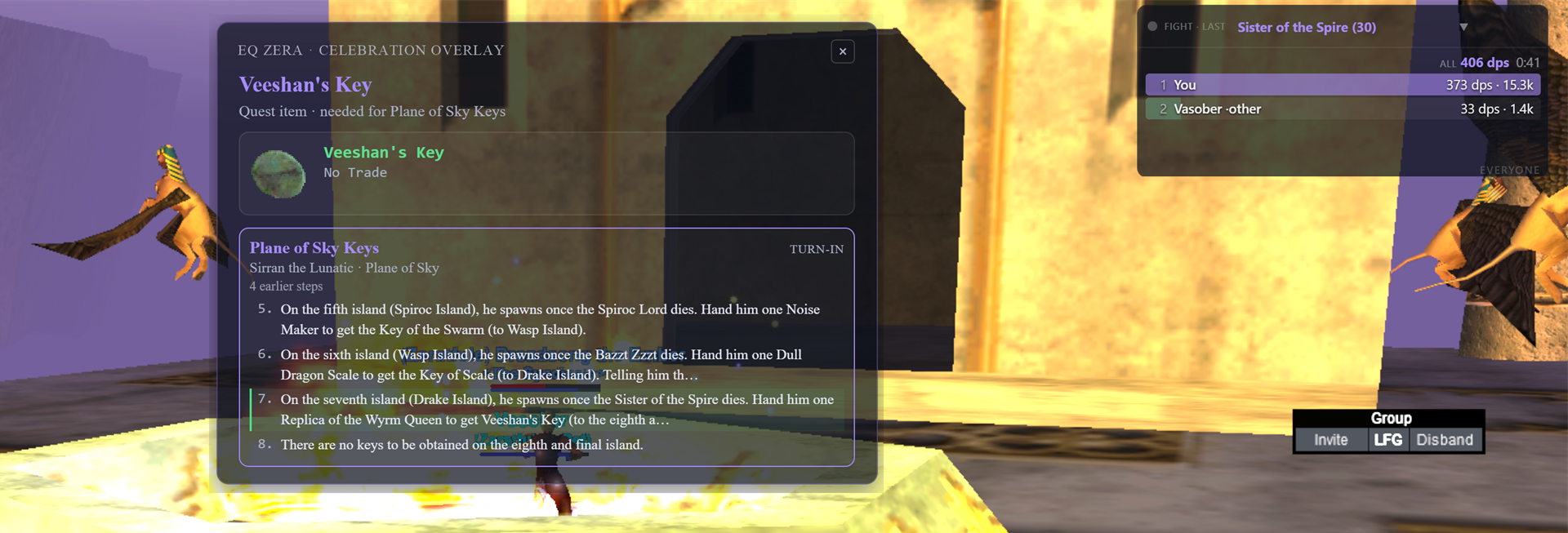
Live from the log, over the game
Every number on this page comes from one source: the plain-text log EverQuest Legends writes. Nothing reads the game, so nothing can break when the game patches; if the log says it, EQ Zera shows it.
Live DPS meter
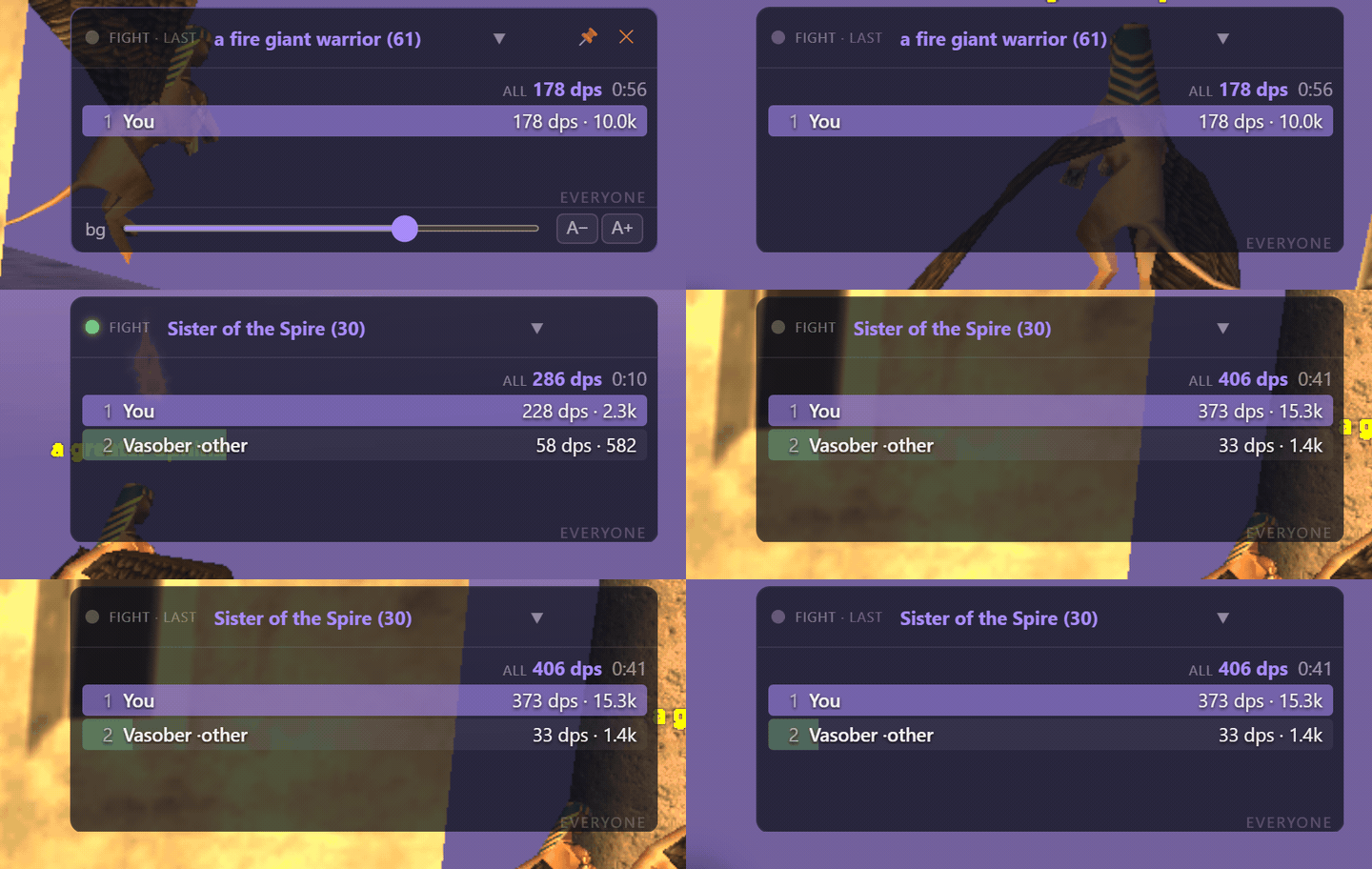
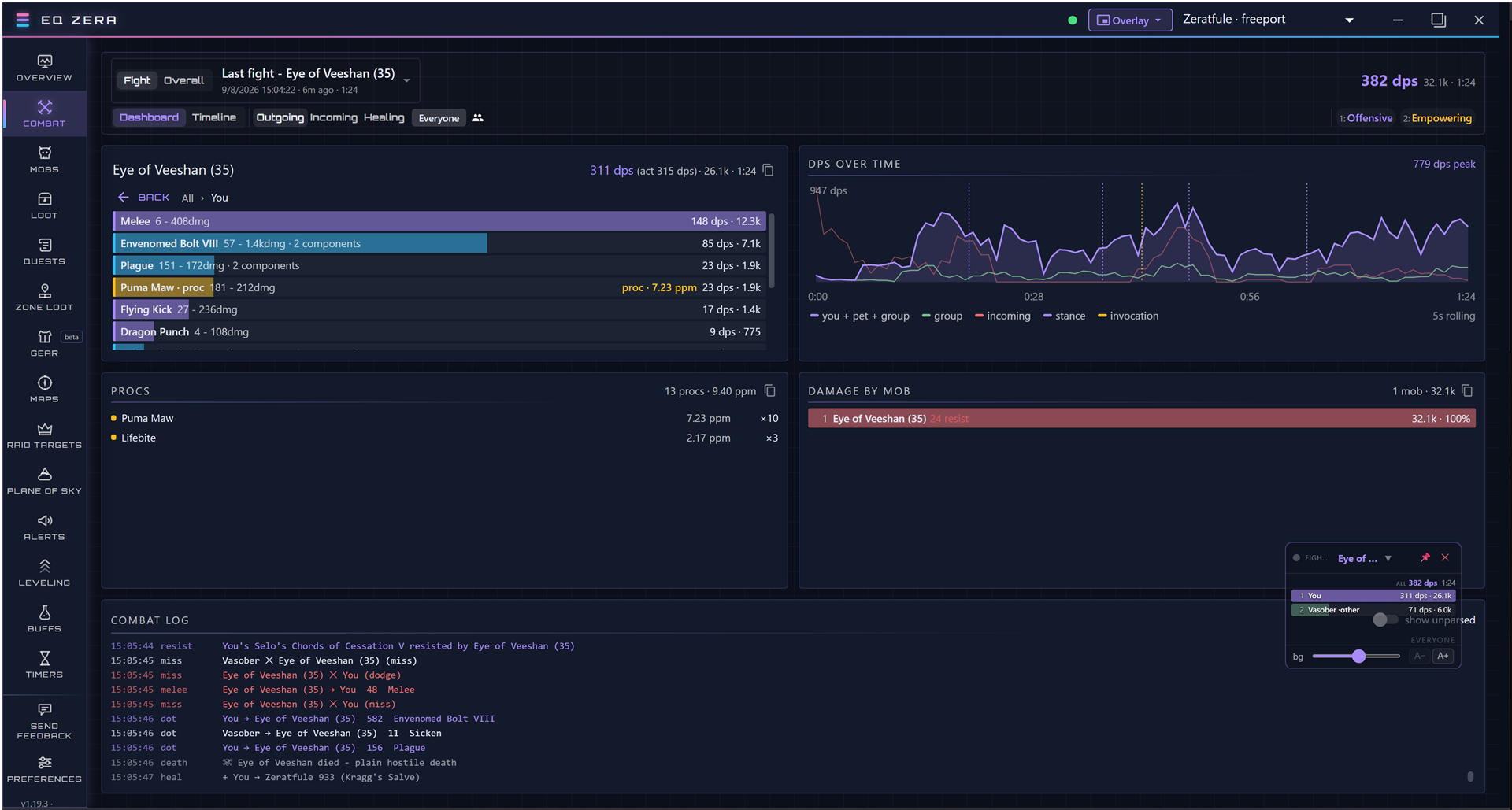
Per-fight and per-zone damage and healing numbers with fight history. Click a fight to see every hit, miss and resist that made the number, drill into each attack and spell, and scrub a timeline of the pull. Charm pets are counted correctly.
Floating overlays
Small always-on-top meters you leave over the game: damage or healing, scoped to the current fight or the whole zone, plus a farm meter with kills, XP, drops and coin per hour. Lock one and it becomes click-through.
Quest tracker and quest item pop-ups
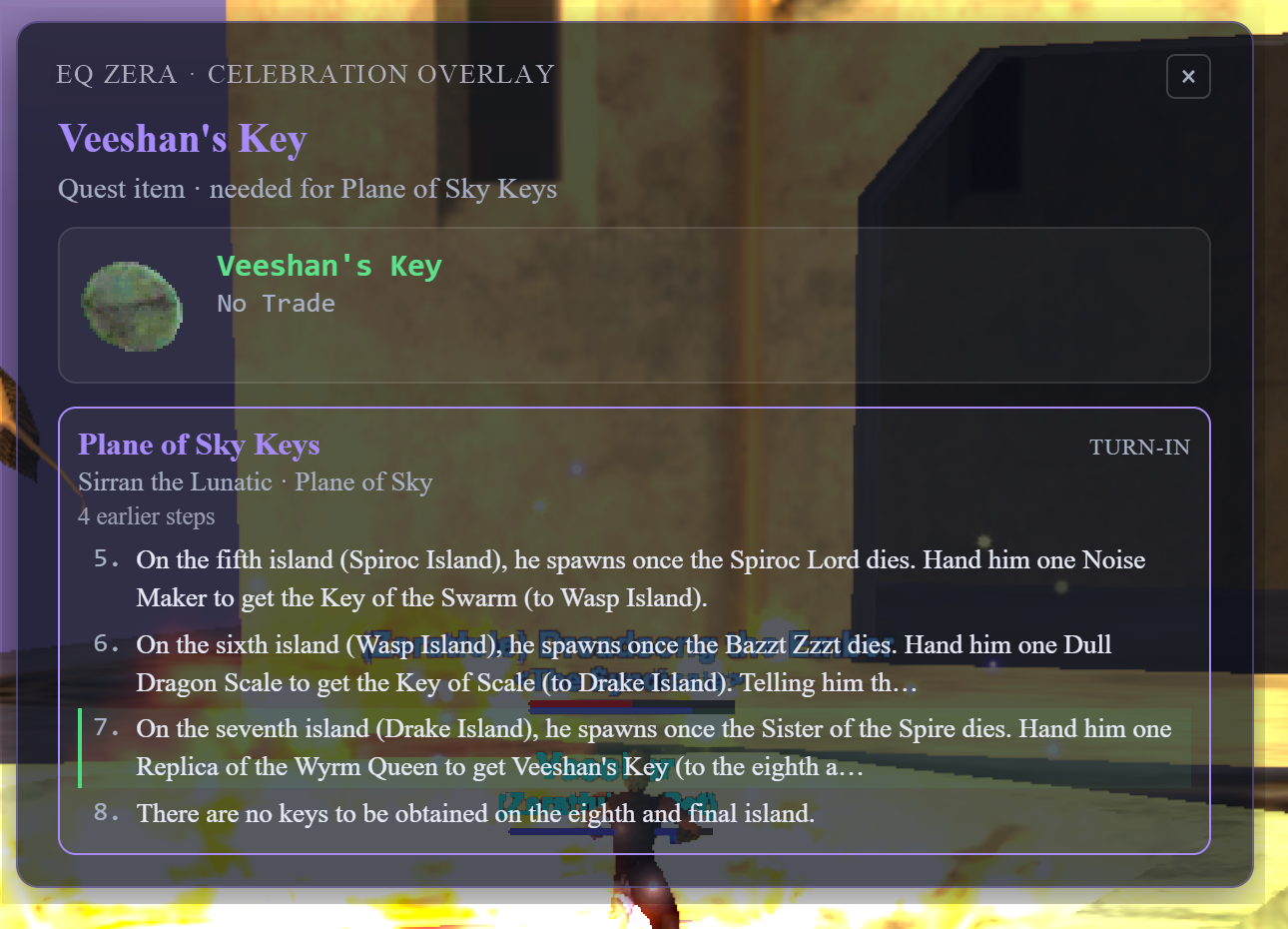
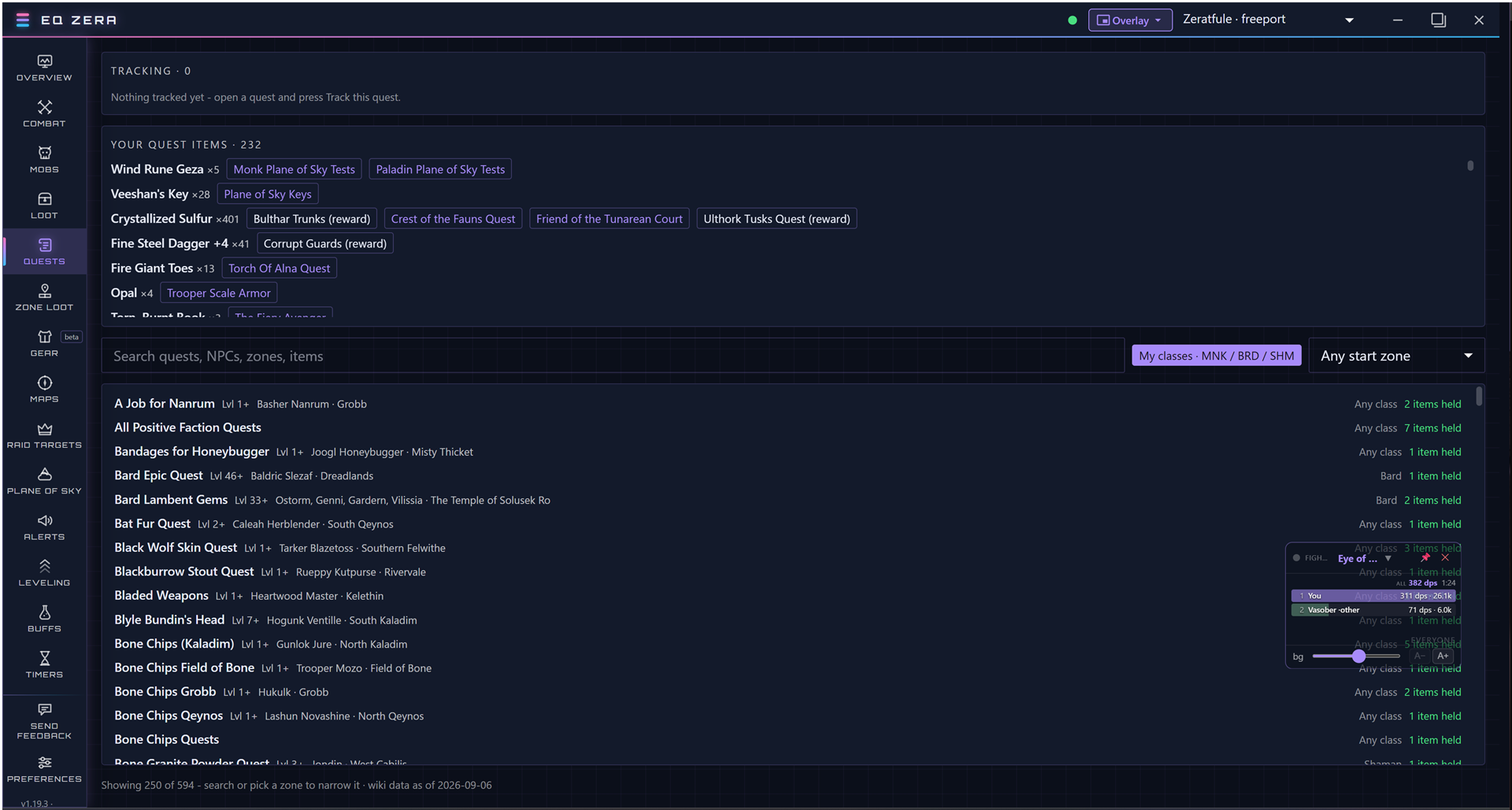
Track any EverQuest Legends quest from its page and follow its steps as a checklist. Looting an item lights its step, hailing the NPC ticks the hail, and a turn-in completes it with a card and your alert. Loot something a quest needs and a pop-up names the quest and where it starts.
Plane of Sky tracker
Every class’s Plane of Sky Test quests with have / need chips per item, item stats on hover, and sorting by closest to done.
Loot, upgrades and where to farm
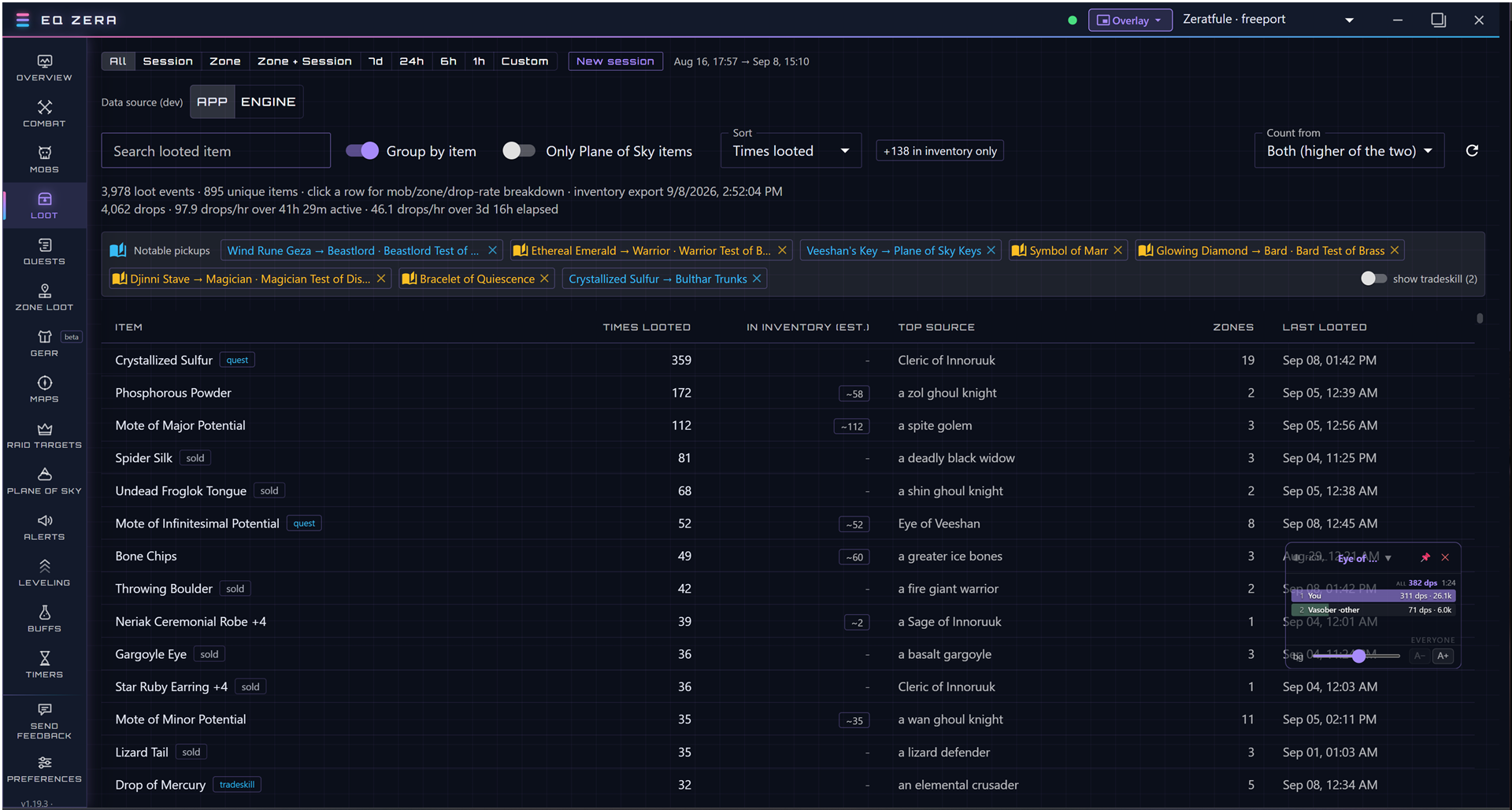
A running history of what you looted and what each item is for. Zone Loot shows every mob the wiki lists in a zone and what it drops, with an upgrade chip when a drop beats what you wear, and the Build tab lists where to farm your upgrades, zone by zone.
Crafting and wish lists
What you can make from what you hold, what you are one ingredient away from, and every recipe with what you are missing. Wish-list an item and get an alert when it drops or when you enter a zone where it does.
Your character, in 3D
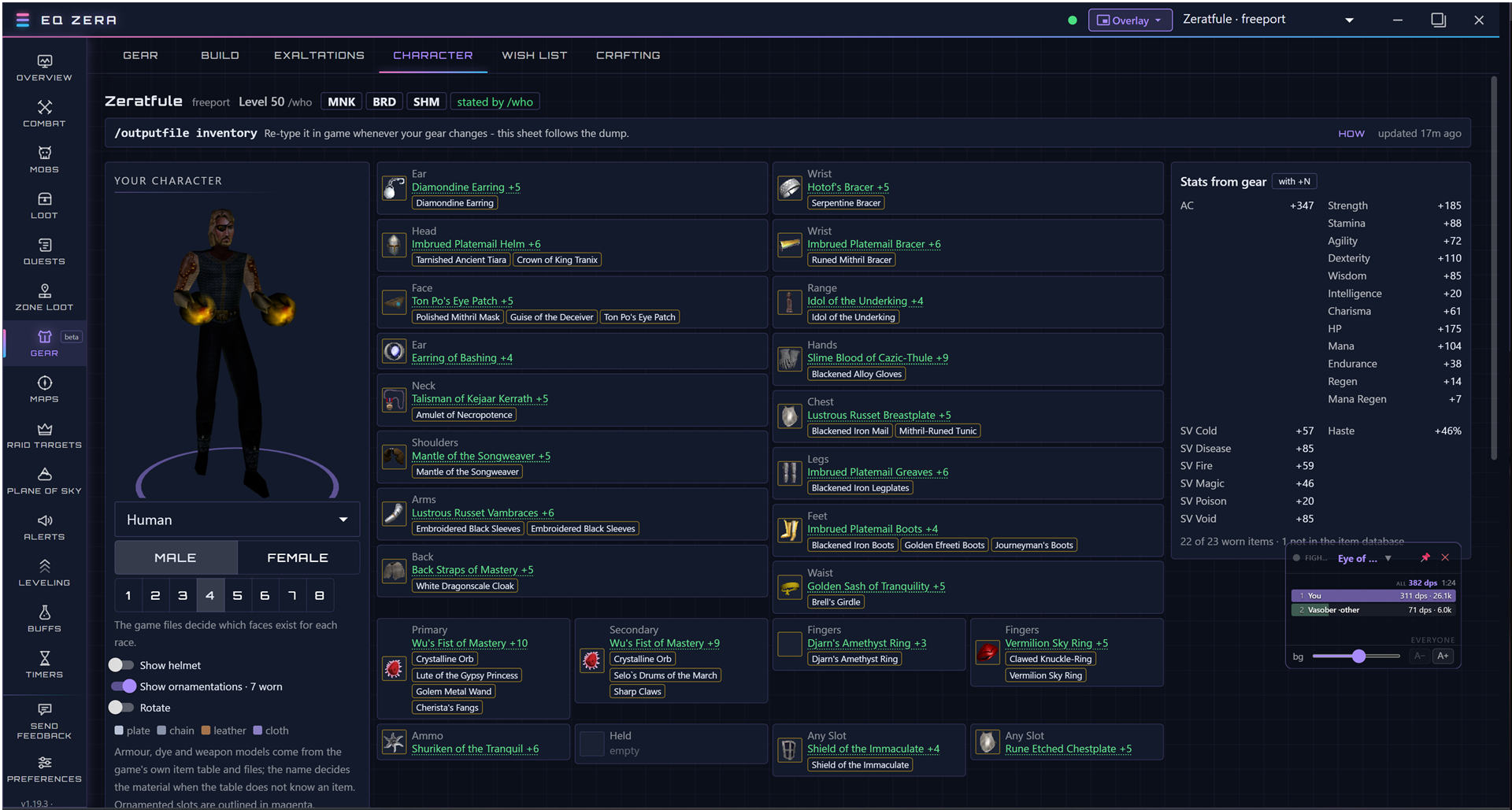
A model of your character with race, sex and face controls for the classic races and Iksar. Preview any wearable item on it from the Gear tab or an item page, one click back to your real gear.
Alerts, timers and recaps
Sound alerts for a charm break, a fading buff, a raid target dying, or any log line you write a rule for. Buff and debuff timers, XP and AA progress, raid-target history, and a death recap that says who killed you and what hit you in the last fifteen seconds.
The app
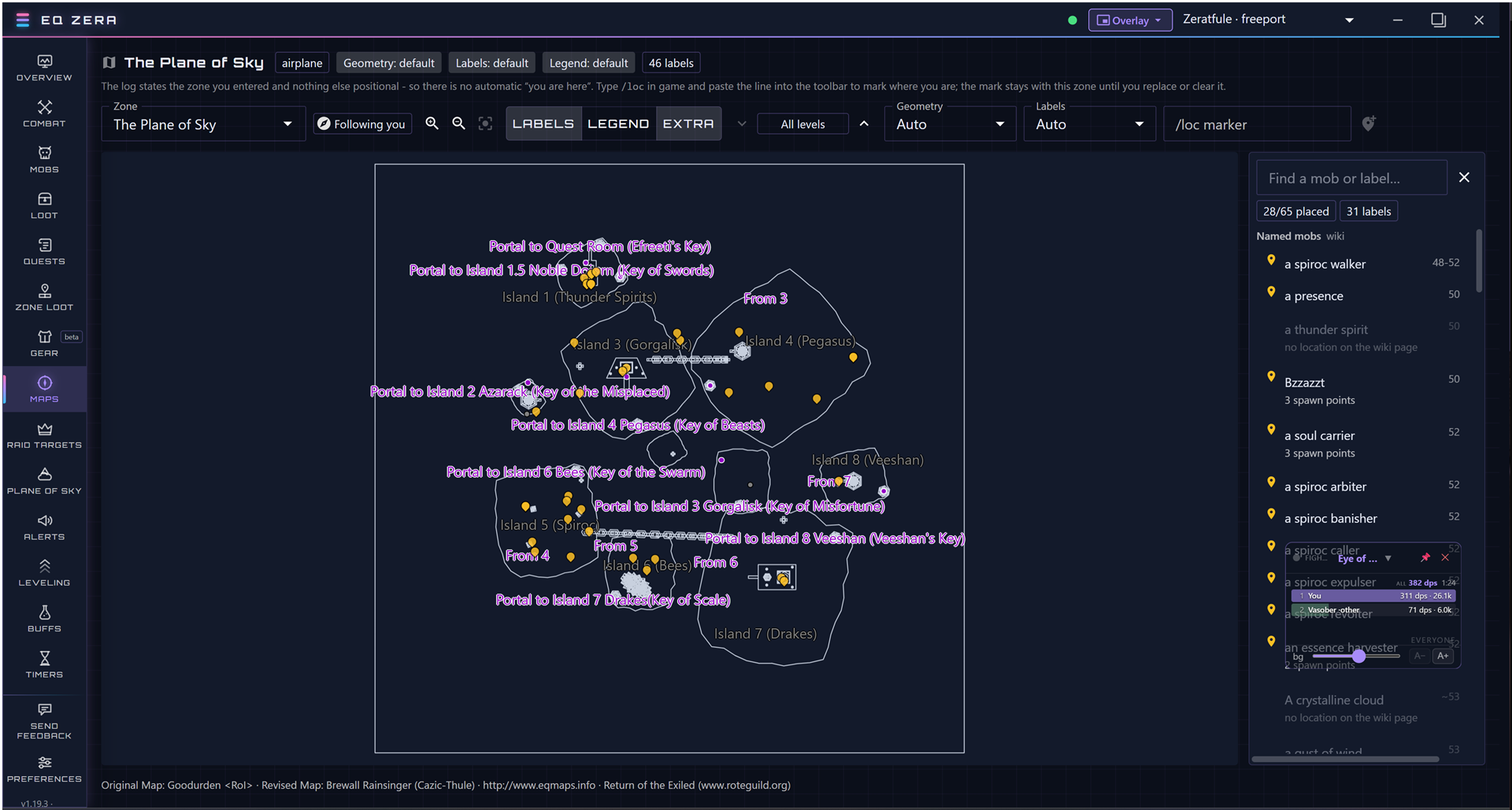
Every tab, from a real session
Captured on 2026-09-08 from a level 50 monk’s log. Click any screen to open it full size.
Install
Install EQ Zera on Windows in a minute
A one-click, per-user install like Discord. No admin prompt, no wizard. It adds a Start menu and desktop shortcut.
Download the installer
eq-zera-Setup.exe is always the newest build. Requires 64-bit Windows 10 or 11.
Run the installer
The installer is code signed, so the Windows prompt names the publisher, Jack Thomas. If SmartScreen still shows “Windows protected your PC” while the new certificate earns its reputation, click More info, then Run anyway.
Turn on logging in game
In EverQuest Legends type /log on. The app finds your log folder on its own, usually under Daybreak Game Company, Installed Games, EverQuest Legends, Logs.
Play
Fight something and the meter fills in. Overlays sit over the game in windowed or borderless mode; exclusive fullscreen cannot be overlaid by anything.
Coming from EQ Legends Companion?
EQ Zera continues where the EverQuest Companion app stopped
Picks up where EQ Companion left off
EQ Zera grew out of EQ Legends Companion, the everquest-companion project by Josh Moyers, and builds on everything it did well: the DPS meter, the overlays, the Plane of Sky tracker, loot history and alerts are all here, sharper and faster, with signed releases, a self-updater that works, and an open issue tracker.
Then it keeps going. The quest tracker, quest item pop-ups, Zone Loot, the upgrade finder, crafting, wish lists, the farm meter, death recap, the 3D character model, shareable character cards, Discord posting and the run tracker are all EQ Zera additions, and every release since is listed under What’s new.
Switching takes one install
EQ Zera reads the same settings folder, so your alerts, sound packs, overlay positions and character history carry over on first launch. Nothing is moved or deleted; the old install keeps working if you leave it.
Looking for the original EQ Companion app? Get it here.
Updates and trust
It updates itself, and it tells you the terms
How updates work
An installed copy checks GitHub shortly after launch and every few hours after that. When a newer build is out you get a card on the celebration overlay and a note in Preferences. Nothing downloads until you click, and a downloaded build is applied the next time you close the app.
Every download is verified against the SHA-512 in the release feed, so a corrupted or substituted file fails to install.
What is and is not verified
Since 1.20.1 every release carries an Authenticode signature issued through Azure Trusted Signing, with Jack Thomas as the publisher. The app refuses any update that is not signed by that publisher, so both the download and its author are verified. Right-click the installer and open Digital Signatures to check it yourself; the full statement is in the repository’s SECURITY.md.
EQ Zera carries the upstream license: free to use, modify and share for non-commercial purposes, converting to MIT on the license’s schedule.
FAQ
Questions people ask before installing
Is a log parser allowed in EverQuest Legends?
EQ Zera reads the plain-text log file the game writes when you type /log on. It does not read game memory, inject anything, send input, or automate play. Log parsers of this kind have been part of EverQuest for over twenty years.
Is EQ Zera free?
Yes. The full source is on GitHub under the Functional Source License, and there is nothing to buy, no account and no sign-in.
Does it work on Mac or Linux?
The installer is Windows 10 and 11 only. Players have run it under Wine and CrossOver; the engine now learns your time zone so timers are right there too, but it is not a supported platform.
Is the installer signed?
Yes. Releases since 1.20.1 are code signed through Azure Trusted Signing and the Windows prompt names the publisher. If SmartScreen still warns while the certificate is new, click More info, then Run anyway. The download is also verified against a SHA-512 hash before it installs.
Do the overlays work in fullscreen?
In windowed and borderless windowed mode, yes. Exclusive fullscreen cannot be overlaid by any program, so switch to borderless if you want meters over the game.
Where do the item, mob and quest data come from?
From the EQ Legends wiki, fetched on demand and cached. Quest steps for the tracker are built from the wiki’s walkthrough pages.
Does it send my data anywhere?
No. No telemetry endpoint is compiled in. Feedback goes out only when you choose to send it, through your own mail app or a GitHub issue, and you see the report first.
How do I report a bug or ask for a feature?
Open a GitHub issue, or use Send feedback inside the app, which fills the report in for you.
Support
Buy the author a coffee
EQ Zera is free and stays free. It is built and maintained by one player in the evenings, and the site, the domain and the code-signing certificate cost real money. If it has saved you a wipe or found you an upgrade, a coffee is a fine way to say so.
Donations buy nothing extra: no features are locked, no ads appear, and the app never asks.
Venmo @eqzera is the project’s business profile, not a personal account. Venmo is US-only; if you are elsewhere, a kind word in the contact form is just as welcome.
What’s new
Recent releases
- NewEQ Zera on your phone. Preferences, Sharing, Pair a phone shows a QR code; scan it and your phone opens a live second screen with your fight meter, run tracker, respawn and buff timers, recent events and your character.
- NewIt installs to the home screen like an app. Everything is encrypted on your PC before it is sent, the link holds the key, and the service that relays it cannot read it. It is off until you switch it on, and Unpair all phones kills every link.
- FixedConnect a Discord channel works when your browser was not already open. EQ Zera used to start looking for the result before the browser had told the service an attempt was under way, then report that Discord did not complete the connection while it was still going.
- NewPost celebrations to Discord. Preferences, Sharing has a switch that mirrors the celebration cards into a connected channel: level ups, boss kills, quest completions, quest items, wish-list drops and deaths, each one a checkbox.
- NewShare this session. The Overview tab’s Last session card has a Share button that builds a card of the session, duration, zones, kills, levels, deaths, coin, best fight and drops, to copy, save, post to Discord or paste as text.
- NewSend settings to another PC. Preferences, Sync makes a 24-hour transfer code; settings are encrypted on your PC before they leave it, and the other PC imports them with the usual add-only merge.
- NewAway alerts. Chosen alerts are posted to a private Discord channel in small batches once you have been away from the keyboard for a few minutes, so a raid target or a tell reaches your phone.
- NewCrawl progress, estimated, in the Run tracker for dungeons with a documented rare list; and a History panel on share links that shows what changed between re-shares.
Every release, with its installer, is on the GitHub releases page. The app’s own What’s new panel shows the same notes.

